You're in10 chapters · 15 min read

Everything you need to get started building with AI

From someone who's actually done it (...and still does as a full-time tech executive). x

Start reading ↓
Christy Laurence

A note from Christy

I've been where you are right now.

What does it really take to build a tech product?

I spent a decade of my life learning what it takes, even spending time in Silicon Valley, right in the heart of the tech nerds, to sponge up as much information as I could.

Running Plann was 2 native apps (Apple & Android) and 1 desktop version: technically 3 tech products to create, build and scale, before I sold it and changed my life.

Then AI changed the game. But, the knowledge is still bein gate-kept behind developer speak and walls of text. Not anymore!

Here's your chance to learn from someone who speaks your language, and get moving on your own dream.

Whether it's a fancy lead magnet, a tool, or a full SaaS (subscription app), this guide is the start of getting you up and running.

Christy x


I built Plann with developers, scaled it to 3 million users, and sold it to Linktree for millions.

And now I build AI products on my own. x

Part 1 · Before you build01

What can I actually build?

More than you think. Most of what you use every day falls into one of three buckets.

Grow

Lead magnets

Quizzes, calculators and gated guides that grow your email list while you sleep.

My example: This guide

Solve

Tools

Small apps that solve one problem really well, for you, your clients or your community.

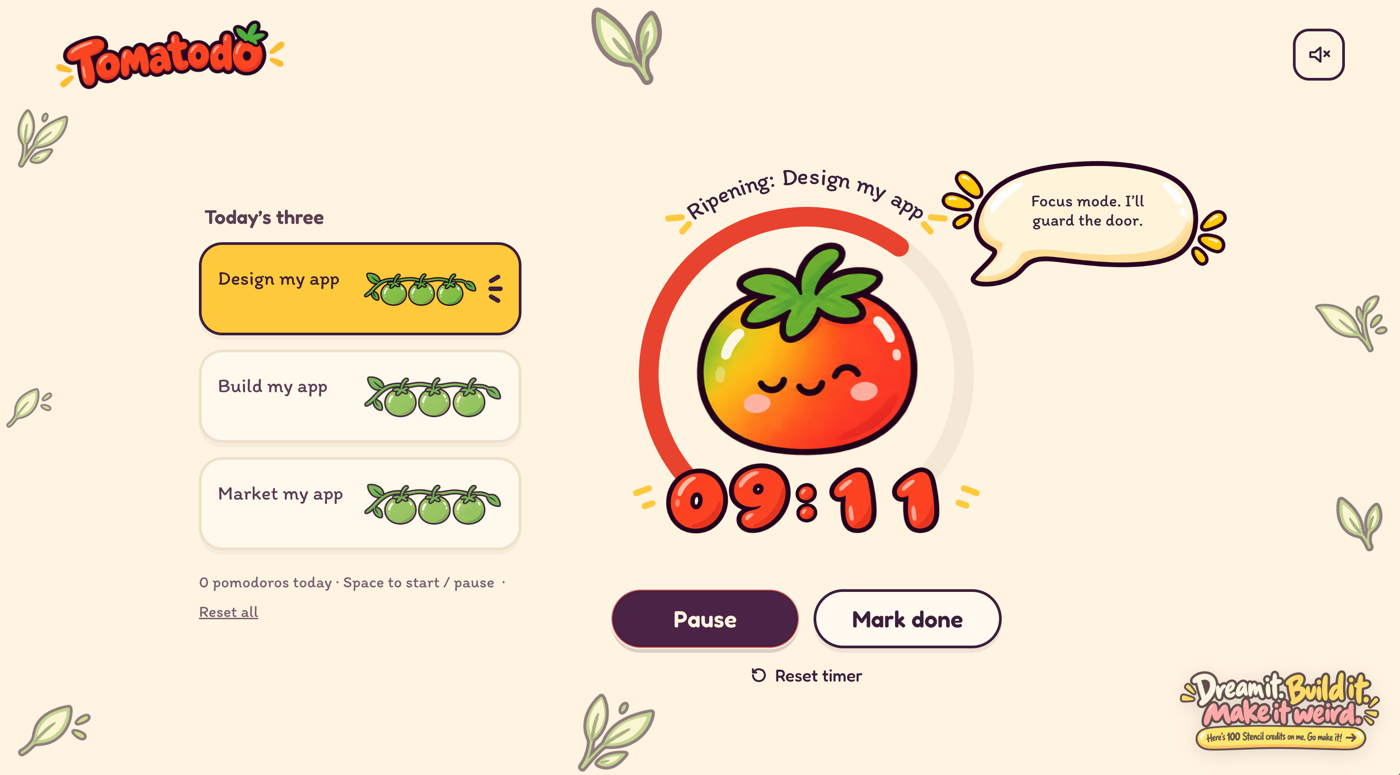
My example: Tomatodo

Earn

Subscription apps (SaaS)

Software people pay for every month. The big one: recurring revenue.

My example: Thanks a Cookie

Also possible:

  • Client portals
  • Booking tools
  • Online courses
  • Membership sites
  • Internal team tools
  • Directories
  • Waitlists
  • Habit trackers
  • Quote calculators
  • Recipe & meal planners
  • Event RSVPs
  • Client onboarding forms
  • AI chatbots for your business
  • Résumé & cover letter tools
  • Budget trackers
  • Custom CRMs

If you can describe it, you can build it. x

Part 1 · Before you build02

Is my idea worth building?

Before you build anything, ask yourself these three questions. Tap the ones that are a yes.

Answer honestly.If you answered yes to all three: It might be worth building! If not: keep looking. The graveyard of apps nobody uses is full of solutions to problems nobody had.
02

Ask real people the one question that matters

"If this existed, would you pay for it?"

Not "would you use it". That's too easy to say yes to. Not "do you like the idea". Also too easy. Pay. For. It.

Ask five real people. If even two say yes without hesitating, you have something worth building.

Part 1 · Before you build03

What will it really cost?

The number that stops most people. Here's what it cost me then, and what it costs me now.

Hiring developersBuilding with AI
Upfront$25,000+$0 with free credits
Monthly$10,000+ a month$200 a month
Time to launch6–12 monthsA few weeks
ChangesA new quote, every timeJust ask
Who owns itOften split with a co-founder100% you

The barrier was never you. It was the price tag and disbelief you couldn't build tech. x

Why Stencil

I've tried them all. Here's why I build with Stencil.

What I tried

Claude Code & Codex

Flexible, but you have to know exactly what to prompt, with no grey area.You need to understand the whole tech landscape to get what you want. So you're learning to prompt while deciphering a huge wall of text, completely full of jargon and wasting time asking it over and over what it's talking about.

Honestly? It's awful.

What I tried

Lovable

I've built 10+ prototypes here. It says it's no-code...but it's not. You still have to know all the jargon, set up the technical plumbing and understand everything happening behind the scenes. It also doesn't talk to enough products that are needed to build beyond a prototype.

No-code… with homework.

What I use

Stencil

  • It's actually (*sigh of relief*),  helpful.It explains what you're doing, and what you might need next.
  • It's visual.It updates in real time. No clicking between preview screens, or sending to another product for approval.
  • It works while you sleep.Queue a whole backlog in one chat, go to bed, and let it run. No juggling a new chat tab for every task.
Try it with free credits →
Part 2 · Building it05

The jargon decoder

A few words you might hear - you don't need to master them, just recognise them.

Domain (URL)
Your app's address, like tomatodo.lol. You rent it yearly, usually $15–30.
Hosting
Where your app lives online so people can visit it. Like rent for a shop.
Database
Your app's filing cabinet. It remembers users, orders and everything they save.
Front end
Everything people see and tap: the screens, buttons and words.
Back end
The behind-the-scenes kitchen that makes it all work.
Login (authentication)
How your app knows who someone is, so their stuff stays theirs.
Payments
How you get paid. Usually Stripe, which handles cards and subscriptions.
API
A way for two apps to talk to each other. Like Slack and Thanks a Cookie.
Prompt
What you type to tell AI what you want. Better prompt, better result.
MVP
Minimum viable product: the smallest version people would still pay for.
SaaS
Software as a service: software people subscribe to monthly, or annually.
Publish (deploy)
Making your app live on the internet, at your link.

See? You already speak tech. x

Part 2 · Building it06

How a build actually goes

Six steps from idea to live link, and roughly how long each one takes.

  1. 1An afternoon

    Idea & ideal customer

    Pick one problem, for one type of person.

  2. 2An hour

    Brief & prompt

    Write who it's for, what it does and what it doesn't. Then turn it into a clear prompt with Prompt Cowboy.

  3. 3A day

    Design

    Create your images in ChatGPT, then put your screens together in Claude Design. Send them straight into Stencil to build.

  4. 4A weekend

    Build

    Bring it to life in Stencil, then refine it screen by screen. Connect your Stripe account and set your pricing.

  5. 5An evening

    Test & publish

    Click everything, on your laptop and your phone. Then press publish and get your link.

  6. 6A week

    Get your first users

    Send it to 10 people who have the problem, and watch how they use it.

See all six steps in the free masterclass →
Part 3 · After you launch07

Making money from it

Three ways to charge. Pick one to start, you can change it later.

Subscription

People pay monthly or yearly. Slow to start, brilliant once it builds.

Thanks a Cookie: $3 per person, per month.

One-off payment

Pay once, keep it forever. Great for templates, toolkits and calculators.

Simple to sell, but you need new buyers every month.

Free to paid

A free version to get people in, and a paid version for more.

The free version is your best marketing.

Charge from day one. Free users tell you it's nice. Paying users tell you it works. x

Part 3 · After you launch08

Your first 10 users

Forget going viral. Ten real people using it beats a thousand likes.

  1. 1Write a list of 20 namesPeople who have the problem. Friends of friends count.
  2. 2Message them one by oneA personal note, or thoughtful voice not - not a post. It feels personal. It works.
  3. 3Watch them use itOn a call or in person. Don't explain, just watch where they get stuck.
  4. 4Ask one question"What almost stopped you?" Then fix that first.
  5. 5Share the build in publicPost what you're making and why. People love backing a builder.
Copy this message

Hey [name]! I've just built a little app that [solves this problem]. I thought of you straight away. Would you try it and tell me honestly what you think? Here's the link: [your link] Even better, could we jump on a quick call so I can watch you use it? It takes 2 minutes. x

Part 3 · After you launch09

When you do need a developer

Honesty time. AI gets you a long way, but not all the way, every time.

When you're scaling

Lots of people using it every day, and speed and reliability really matter.

When it gets complex

Heavy custom logic, or connecting to complicated outside systems.

When the data is sensitive

Health, money or kids' information needs proper security and compliance.

When big platforms need paperwork

Connecting to platforms like Meta, Apple or Google can mean compliance docs, security reviews and approval processes.

When investors come knocking

They may want a technical review before they invest.

These are GREAT problems to have.

It means you're likely making income, and you might only need someone part-time.

I have a black book of contacts. Just ask. x
Hire a developer when it's working, for a specific job. Not a co-founder for 50% before you've even started.
I'm building with you10

One real example: Thanks a Cookie

I'm building my next million dollar app, one day a week, with you.

Thanks a Cookie

A Slack app for team recognition. No developer. No co-founder. Just me and Stencil.

Time I spend on it
1 day a week
Price
$3 per person, per month
What it took to get started
One weekend, one monetisable idea I'm passionate about - and me.
What it makes
Recurring monthly revenue while I'm walking my pupper, consulting or dreaming up my next project.

I'm building this right now to show you how I make decisions, get users -- and build a real business that pays me to sleep. @christyladylaurence >

Ready?

Your first step: just one thing to do today

Watch the free masterclass. It's 10 videos, 1 minute each. By the end you'll have built a very simple, cute product, designed to give you confidence to dream bigger.

Done before your next coffee goes cold. x

Watch the masterclass, it's free →
tomatodo.lol
Tomatodo, the app you'll build in the masterclass
What you'll build: Tomatodo, your way.

You're more capable than the tech industry ever made you feel.

Now go build something that pays you to sleep. x